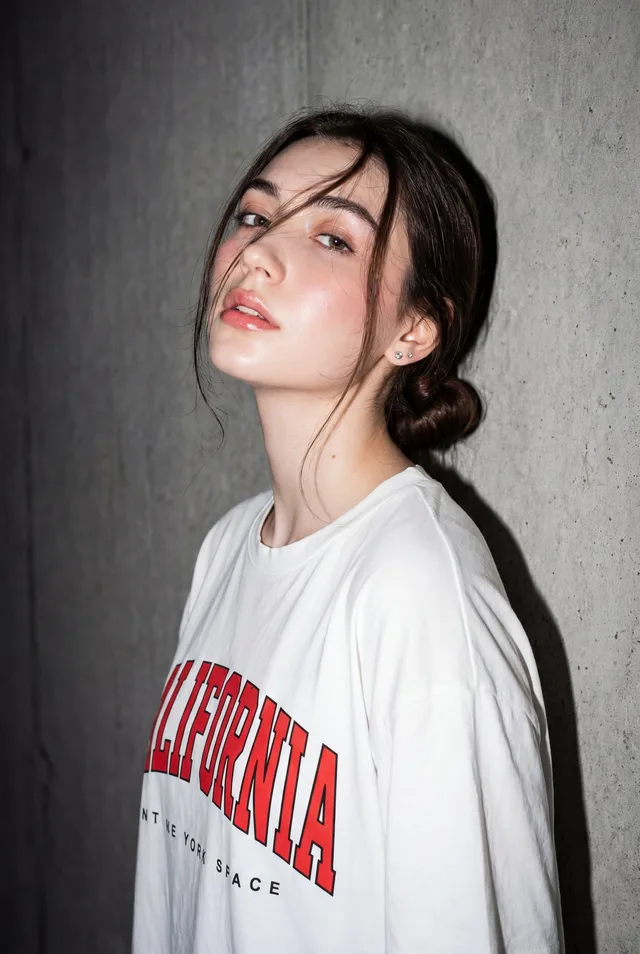
Prompt Tạo Ảnh Doodles Vẽ Tay Nghệ Thuật Trên Ảnh Chụp
Kết hợp độc đáo giữa nhiếp ảnh thực tế (Photography) và các nét vẽ tay (Doodles) ngộ nghĩnh, đầy màu sắc 2D.
Cập nhật
Giới thiệu
Prompt này làm gì
Tạo sự đột phá và trẻ trung bằng phong cách Mixed Media (Pha trộn chất liệu). Prompt hướng dẫn AI chèn các nét vẽ nguệch ngoạc (Doodle) màu sắc sặc sỡ như tia sét, vương miện, trái tim lên trên ảnh chụp chân dung đời thực để tạo ra sự tương phản đầy cá tính.
Rất thịnh hành trong các thiết kế bìa Album nhạc Indie, poster sự kiện âm nhạc giới trẻ, hay các chiến dịch quảng cáo mạng xã hội đậm chất Gen Z.
Câu lệnh
Câu lệnh (1)
Prompt
GPT Image
Analyze the uploaded image and preserve the original subject, composition, and lighting. Do not alter the identity or structure of the main subject. Add playful, hand-drawn doodles that interact directly with the subject in the image. The doodles should mimic, follow, or exaggerate the shapes, gestures, or motion present-such as outlining poses, extending limbs, adding motion lines, or creating imaginative elements that

"respond" to the subject.

Ensure the doodles feel naturally integrated into the scene, as if they were drawn on top of the photo with intention.

Use a sketchy, imperfect, hand-drawn style with organic lines, slightly uneven strokes, and a casual illustrated feel.

Include whimsical handwritten text elements placed around the image. The text should match the mood or implied context of the scene, with a playful and spontaneous tone.

Avoid fixed phrases-generate context-aware, creative, and humorous text that fits each unique image. Maintain a balanced composition so the doodles enhance the image without overwhelming the original subject. Keep the overall aesthetic fun, expressive, and social-media-ready. High resolution, clean overlay, vibrant yet natural color harmony.
Hướng dẫn
Cách dùng
Mở GPT Image hoặc model ghi ở từng câu lệnh.
Thay các biến trong [ngoặc vuông] bằng sản phẩm, khách hàng hoặc phong cách của bạn.
Chạy thử một bản, chọn kết quả tốt rồi tinh chỉnh ánh sáng, góc máy và màu sắc.
Mỗi prompt ghi rõ model hoặc công cụ đích (ChatGPT, Gemini, Claude, Midjourney, Stable Diffusion…). Nếu không ghi cụ thể, bạn cứ thử với model mình đang có rồi chỉnh lại theo kết quả.
Điền vào các chỗ trống trong ngoặc vuông, rồi dán prompt vào chế độ agent của ChatGPT, Gemini hoặc Claude (tên gọi và gói được dùng tùy từng app). Agent sẽ tự làm từng bước như mở web, đọc, tổng hợp và viết; anh em chỉ cần duyệt kết quả. Prompt ảnh, video thì dán vào đúng tool ghi trên trang.
Tài khoản VIP mở mọi prompt có nhãn VIP, gồm toàn bộ câu lệnh và phần nội dung VIP của từng prompt.
Hoàn toàn được. Prompt ở đây là bản mẫu để bạn tham khảo và tuỳ chỉnh theo nhu cầu riêng.
Tuỳ model. Với Stable Diffusion và SDXL, negative prompt giúp loại bỏ lỗi thường gặp. Các model như Midjourney tự xử lý phần này, nên không bắt buộc.